User Flow — HR Onboarding
Bringing a new employee into the system: create the employee record and its (disabled) login,
complete the personal / identity / family / contract data, provision access (enable login, assign
groups and permissions), set up leave balance and attendance, and hand over first-login credentials.
Driven by HumanResourceController and UserController; the login itself is an ASP.NET Core
Identity ApplicationUser.
Source: NKO.Main/NKO.Main/Controllers/HumanResourceController.cs,
NKO.Main/NKO.Main/Controllers/UserController.cs,
NKO.Main/NKO.Main/Controllers/TimesheetController.cs (leave balance),
NKO.Main/NKO.Main/Controllers/AttendancesController.cs,
NKO.Lib/NKO.Shared/Controllers/AccountController.cs (first login).
Actors
| Actor | Responsibility |
|---|---|
| HR officer | Creates the draft employee, completes every profile section, generates the contract. |
| HR administrator / IT | Enables the login, resets the initial password, assigns groups and shared / project permissions. |
| Manager | Referenced as App / Tech; becomes the first approver for the new hire's later requests. |
| New employee | Receives username + initial password, signs in and is forced to change the password. |
Preconditions
- The employee has a unique Emp ID (
AppUser.UserCode). The login username is derived as"NKO" + UserCode. - A branch / sub-branch exists to attach the employee to.
- For a hire coming from recruitment, an
Applicantsrecord in the hired state exists (see the Recruitment module — recruitment is a separate flow).
Flow
flowchart TD
    A["New hire"] --> B{"Source?"}
    B -- manual --> C["HumanResource/Create POST"]
    B -- from recruitment --> D["HumanResource/CreateEmployee"]
    C --> E["ApplicationUser IsEnableLogin false, default password<br>AppUser Status Draft"]
    D --> E
    E --> F["HumanResource/Edit and EditEmp - personal and employment data"]
    F --> F2["EditEmp - set Employee Status to Approved<br/>without this the employee is invisible and cannot sign in"]
    F2 --> G["IdInformation and ManageAttachment - identity documents"]
    G --> H["FamilyManagement and Conflict register"]
    H --> I["Contract and ManageContract - position, department, manager, salary scale"]
    I --> J["Salary, Charges, Signatures, Attachments"]
    J --> K["User/Edit - set IsEnableLogin true"]
    K --> L["User/Security or GeneratePassword - reset password, IsPasswordDefault true"]
    L --> M["User/ManageGroupMember - add to groups"]
    M --> N["User/Membership and ManagePermission - shared and project permissions"]
    N --> O["Timesheet/CreateLeaveBalance - LeaveBalance per LeaveType"]
    O --> Pn["EditEmp - remote-attendance and attendance-calculation flags"]
    Pn --> Q["Hand username and initial password to employee"]
    Q --> R["First sign-in triggers forced password change"]
    R --> S["Employee active"]
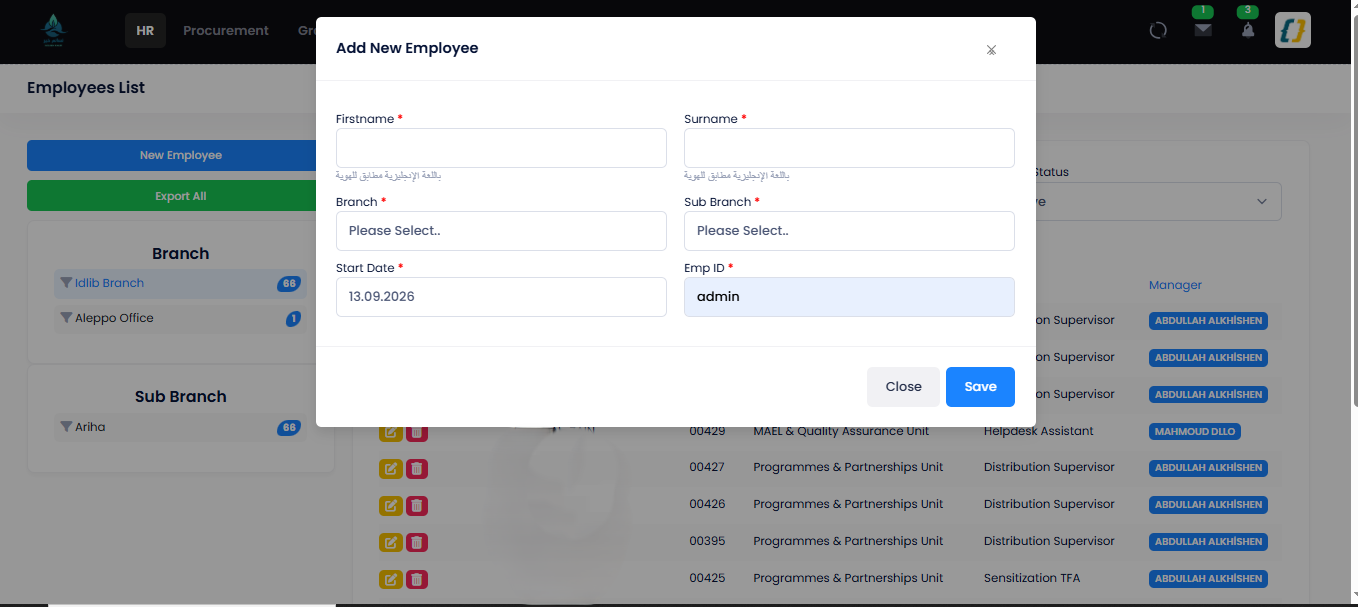
Step 1 — create the employee record and its (disabled) login (/HumanResource/Create):
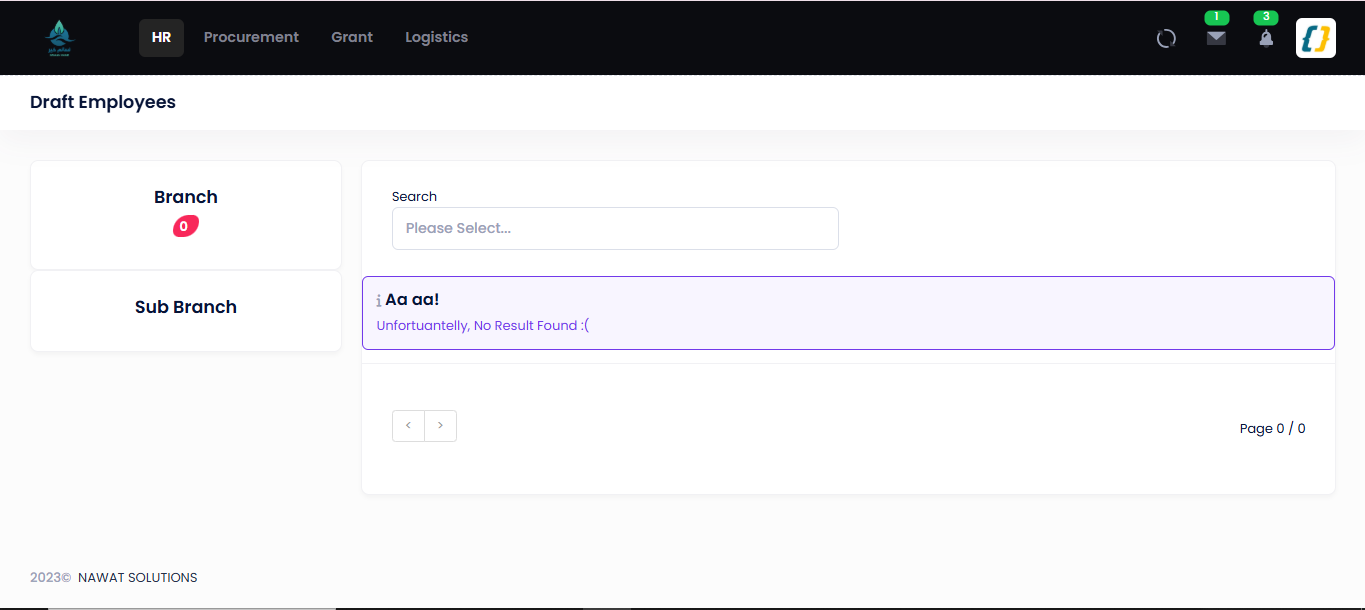
The draft-employee queue — records created but not yet completed (/HumanResource/DraftEmployees):
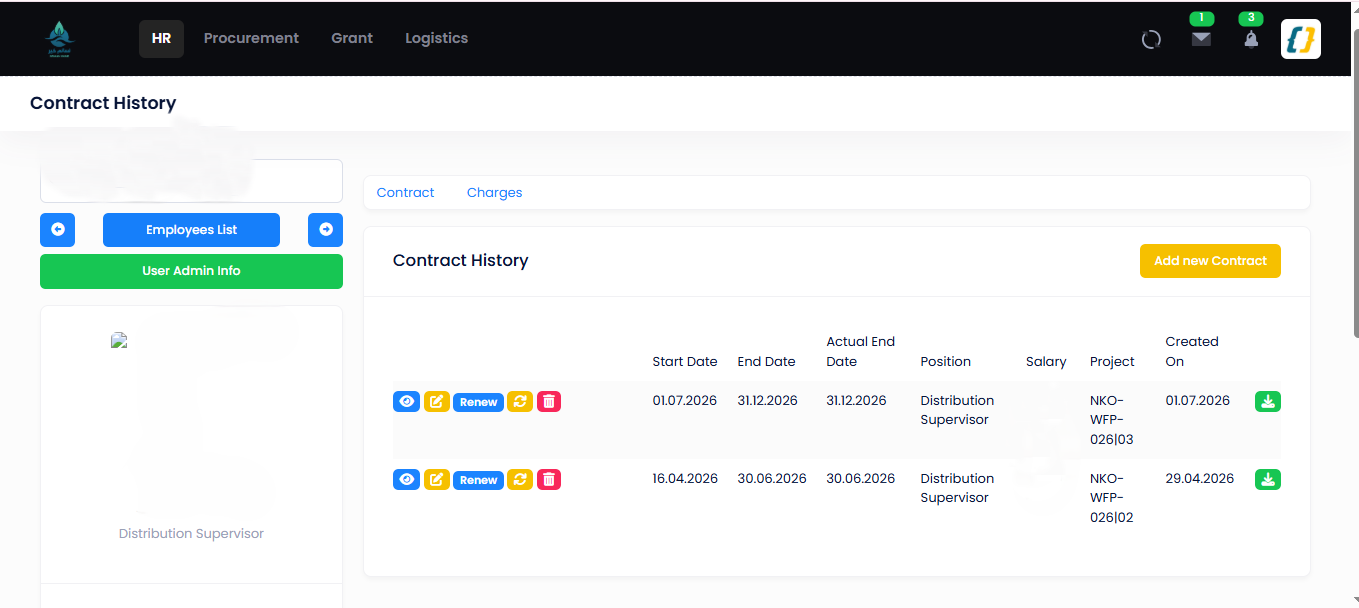
Step 5 — the contract that places the employee in the org hierarchy
(/HumanResource/Contract/{guid}; salary column masked):
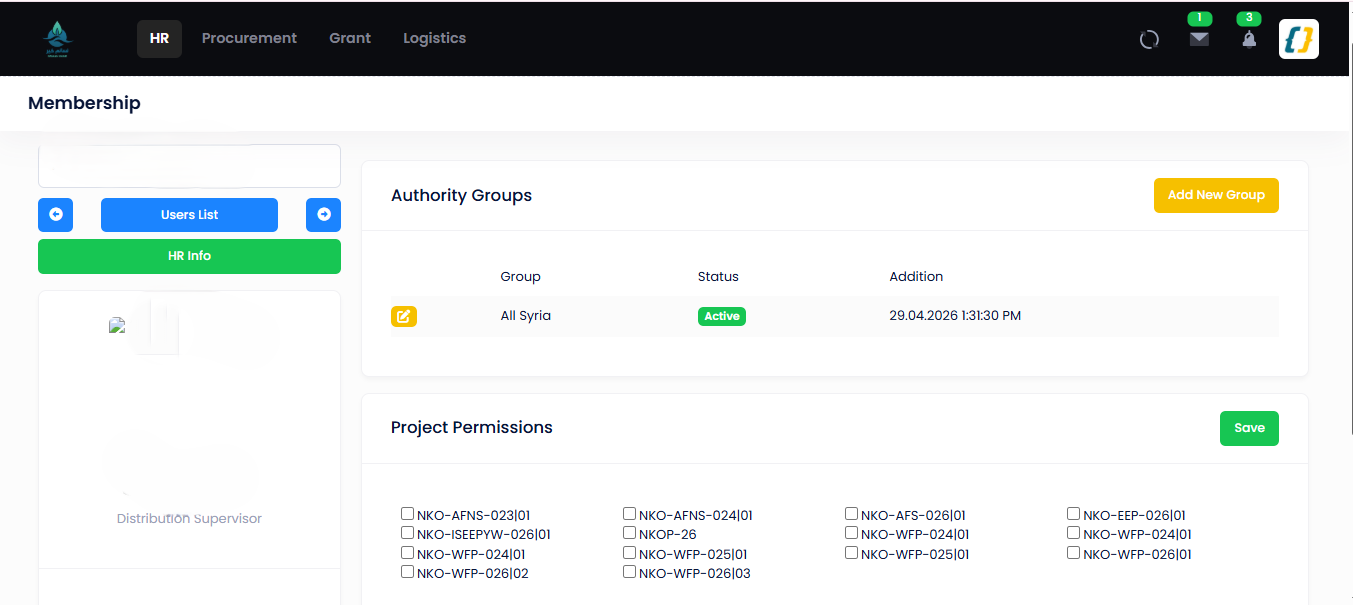
Steps 7–10 — enable the login and assign groups / project permissions (/User/Membership/{id}):
Step-by-step
| # | Actor | Screen / route | Permission key | Writes | Notes |
|---|---|---|---|---|---|
| 1 | HR | POST / |
Human |
Application (User, Is, Is2), password "321321321", App (Status = Employee, User, Identity, Branch, Sub, Date) |
Redirects to Edit. From recruitment: GET / seeds name/email/phone/DOB/marital status from the Applicants record, default branch Sarmada. |
| 2 | HR | GET/, . |
Human |
App, App |
Names (EN/AR), contact, address, nationality, emergency contacts, bank/IBAN. Edit also carries Employee Status (App) — set it to Approved. Until then the employee is hidden by App's global query filter and cannot sign in (see Employee status). |
| 3 | HR | / |
Human |
App — uploaded through Manage (Human) |
Passport / Turkish ID / residency / temp-protection / work-permit / Syrian ID (Id). Duplicate ID numbers across employees are flagged. |
| 4 | HR | /, Add, Delete |
Human, Human |
App, App |
Dependants and any relatives already employed by NKO (conflict-of-interest register). |
| 5 | HR | /, Manage, Refresh |
Human |
App, App |
Position, department, salary scale, contract dates — the record that puts the employee in the org hierarchy. |
| 6 | HR | /, Charges, Signatures, Attachments, Add |
Human, Human, Human |
App, App, App, App, App, Archive, Note |
E-signature starts Sign and is approved by HR (Human). An e-signature is required before the employee can sign any procurement document. |
| 7 | HR admin | POST / (Edit) |
User |
Application |
Until this is set, Permissions returns an empty permission set for the account. |
| 8 | HR admin | POST / or GET / |
User, User |
Application password, Is |
Sets the initial password and forces a change at first sign-in. |
| 9 | HR admin | POST / |
User |
App (Is) |
Group = role; the union of the groups' permission keys becomes the employee's access. |
| 10 | HR admin | POST /, POST / |
User, User |
Common / Shared, App |
Data scope per Shared area (All / Location / Custom / Default) and project-scoped view/edit rights. |
| 11 | HR | POST / (or Import) |
User |
Leave per Leave |
Opening annual / sick / other balances — see Leave Management. |
| 12 | HR | POST / |
Human |
App, Ignore |
Remote-attendance and attendance-calculation flags. The work calendar is not set per employee: calendar profiles are configured in Administration (/, /) and linked to salary levels (Position). |
| 13 | Employee | GET / → GET / |
— | Application password, Is |
First sign-in with the initial password redirects to forced password change (see Authentication). |
Employee status
AppUser.Status uses EmployeeType: Draft = 0, Approved = 1. Create and
CreateEmployee both write Draft, and new records appear on GET /HumanResource/DraftEmployees
(HumanResourceDraftEmployees).
An employee becomes usable only when HR sets Employee Status to Approved on
POST /HumanResource/EditEmp (the EmployeeStatus field; the HR data import, ImportData, is the
only other code that writes Approved). This is not a formality. AppUser carries a global query
filter — !IsDeleted && Status == 1 — so a draft employee is invisible to every ordinary query:
- enabling the login (step 7) is not enough — at sign-in
AccountController.Loginlooks the employee up, finds nothing, and throws onappUser.UserId(R6-8); - a draft employee does not appear in employee look-ups, pickers or approval routing.
Only screens that call IgnoreQueryFilters() — such as DraftEmployees — can see them.
Edge cases
| Situation | Behaviour |
|---|---|
| Duplicate Emp ID | Create rejects with "Emp ID must be unique". |
| Duplicate identity number, e-mail or phone | Flagged as a warning on Edit (Check / Check); not blocked. |
| Login enabled before a group is assigned | Employee can sign in but only "General" pages resolve. |
Is left true |
Every sign-in redirects to / until the password is changed. |
| Employee has no manager set | "Waiting for manager" steps in later flows have nobody to route to — set the manager on the employee record first (POST / writes App). |
| Draft employee never completed | Stays on Draft; invisible to every query that does not call Ignore. |
Login enabled while still Draft |
Sign-in fails with an unhandled exception, not a message — set Employee Status to Approved first (R6-8). |
Related
- Authentication — first sign-in and forced password change.
- Permissions — groups, permission keys, data scoping, the org hierarchy.
- Leave Management — opening leave balances for the new hire.
- HR module · HR database — the entities written here.