User Flow — Procurement Cycle
The end-to-end purchasing chain: Purchase Request → Request for Quotation → Purchase Order → Goods
Received Note → Payment Order. Each document is its own approval workflow with the same shape — a
Details screen, contextual action buttons, and a single ContextActions endpoint that advances an
integer StatusId — and each document is created from the approved one before it.
Source: NKO.Main/NKO.Main/Controllers/{PurchaseRequest,RFQ,PurchaseOrder,GRN,PaymentOrder}Controller.cs,
BAL NKO.Main/NKO.Main/BAL/{BPurchaseRequest,BRFQ,BPurchaseOrder,BGRN,BPaymentOrder}.cs,
NKO.Lib/NKO.Shared/Helpers/CommonConstants.cs (Areas, *UserTypes, *OpTypes),
NKO.Lib/NKO.Shared/Helpers/Enums.cs (PRStatus, POStatus, GRNStatus, PaymentOrderStatus,
PRTrackerStatus).
Actors
| Role | Appears as | In |
|---|---|---|
| Requester | *User |
every document — raises and sends it |
| Technical / opening committee | PRUser, RFQUser |
RFQ evaluation — the PR technical-control methods are commented out, see Purchase Request |
| Budget Holder | *User |
RFQ, PO, Payment Order — not the PR, see Purchase Request |
| Finance | *User |
PR, PO, Payment Order |
| CEO / GM | POUser, Payment |
PO, Payment Order |
| Supply Chain (officer / manager) | RFQUser, Supply, PRUser |
assigns the procurement officer on the PR, runs the RFQ |
| Recipient | GRNUser |
GRN — confirms goods received |
| Payer | Payment |
Payment Order — records the payment |
Segregation-of-duty roles PRUserTypes.SOD1..4 / FinanceSod1 carry the PR approval chain after
Finance; how many of them a PR passes through depends on its USD value.
Preconditions
- The signer has an approved e-signature (
AppUserSign). Every procurementContextActionscall starts with_sign.HasSign(userId)and refuses with "Please upload your E-signature." otherwise — exceptPurchaseOrder/JustificationContextActions, which does not check it (R3-9). - The PR is charged to a project and budget lines. Their remaining budget (
ProcBudgetLineHandler) is shown on the PR, but it is not enforced — a PR can be raised and approved beyond it. - Each downstream document requires the upstream one in the right state — e.g. RFQ needs
PR.StatusId == PRStatus.Accepted && PR.ProcMId != null.
Flow
flowchart TD
    subgraph PR["Purchase Request"]
        PR1["Create: materials, project, budget lines"] --> PR2["Requester sends"]
        PR2 --> PR3["Finance"] --> PR4{"USD value over 1,000?"}
        PR4 -->|yes| PR5["SOD 1 to SOD 4, by value"] --> PR7["Supply Chain assigns procurement officer"]
        PR4 -->|no| PR7
        PR7 --> PR8{"PRStatus Accepted"}
    end
    PR8 --> RFQ1
    subgraph RFQ["Request for Quotation"]
        RFQ1["Create from accepted PR"] --> RFQ2["Add providers and quotations"]
        RFQ2 --> RFQ3["Providers analyse and technical assessment"]
        RFQ3 --> RFQ4["Compare CBA and provider justification"]
        RFQ4 --> RFQ5["Committee to Supply Chain Officer to Supply Chain to Budget Holder"]
        RFQ5 --> RFQ6{"Provider awarded"}
    end
    RFQ6 --> PO1
    subgraph PO["Purchase Order"]
        PO1["Create from RFQ award"] --> PO2["Requester sends"] --> PO3["Finance"] --> PO4["Budget Holder"] --> PO5["CEO or GM"] --> PO6{"POStatus Accepted"}
    end
    PO6 --> GRN1
    subgraph GRN["Goods Received Note"]
        GRN1["Create from PO"] --> GRN2["Requester sends"] --> GRN3["Recipient accepts or refuses"] --> GRN4{"GRNStatus Accepted"}
    end
    GRN4 --> PMT1
    subgraph PMT["Payment Order"]
        PMT1["Create from an accepted GRN, or manual"] --> PMT2["Requester sends"] --> PMT3["Budget Holder"] --> PMT4["Finance"] --> PMT5["CEO"] --> PMT6["Payer records payment"] --> PMT7{"PaymentOrderStatus Paid"}
    end
PurchaseOrder/Tracker shows where a request sits across the whole cycle using PRTrackerStatus
(PRSigning → WaitingForRFQ → RFQCollection → TechnicalCommitteeStage → CBAStage → WaitingForPO →
POStage → WaitingForGRN → GRNStage → Completed).
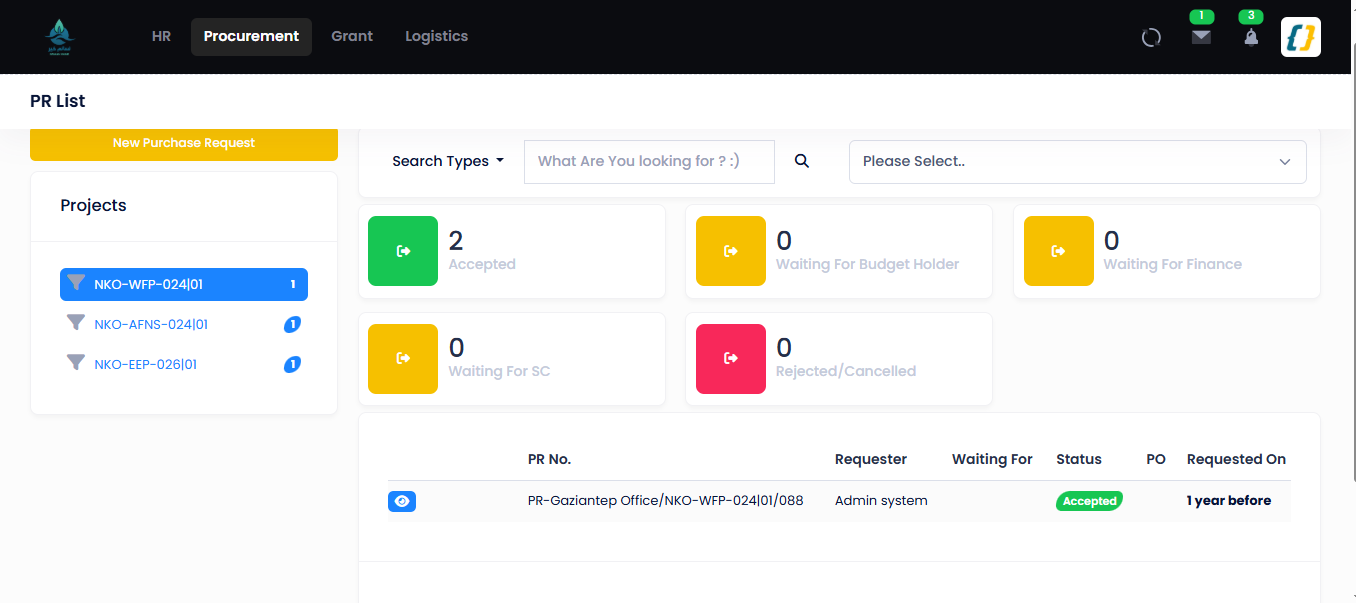
The Purchase Request list, with a status tile per PRStatus value (/PurchaseRequest):
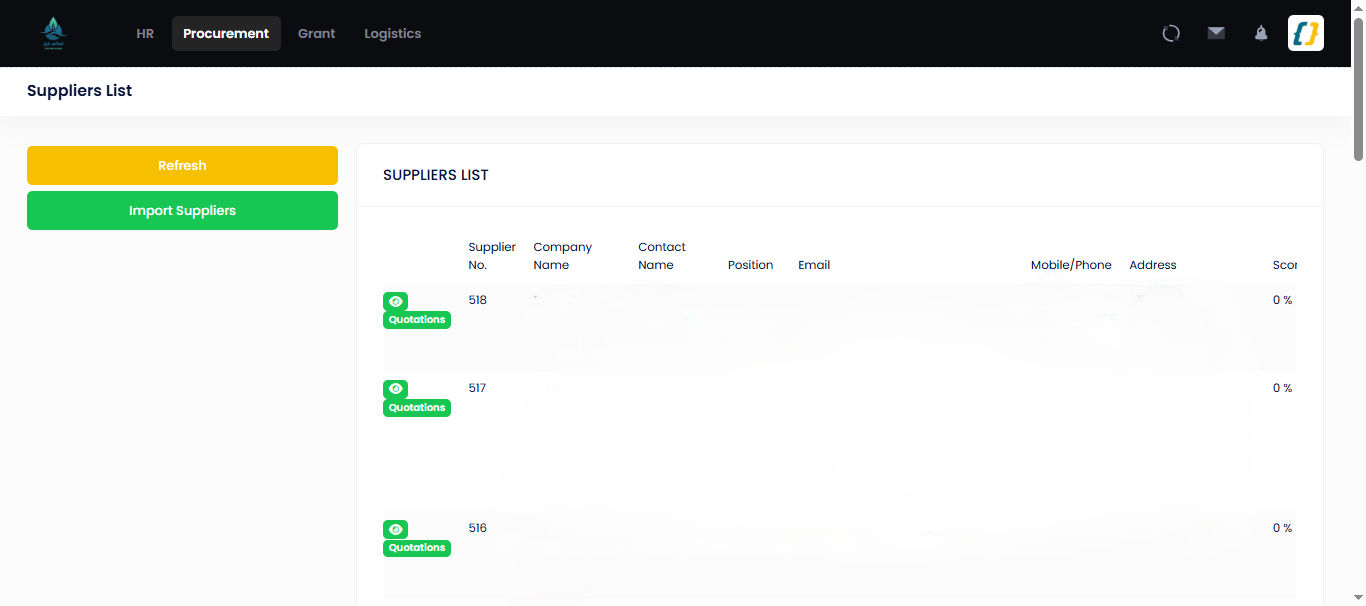
The lifecycle tracker — one request across PR → RFQ → PO (/PurchaseOrder/Tracker/{id}):
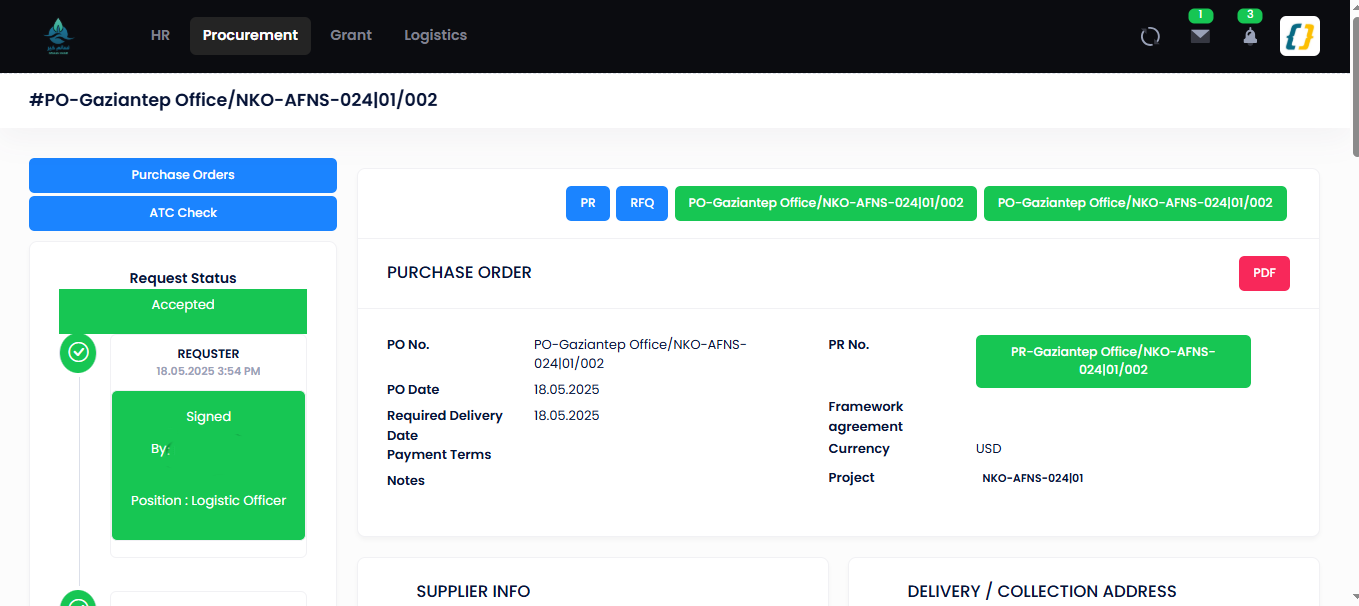
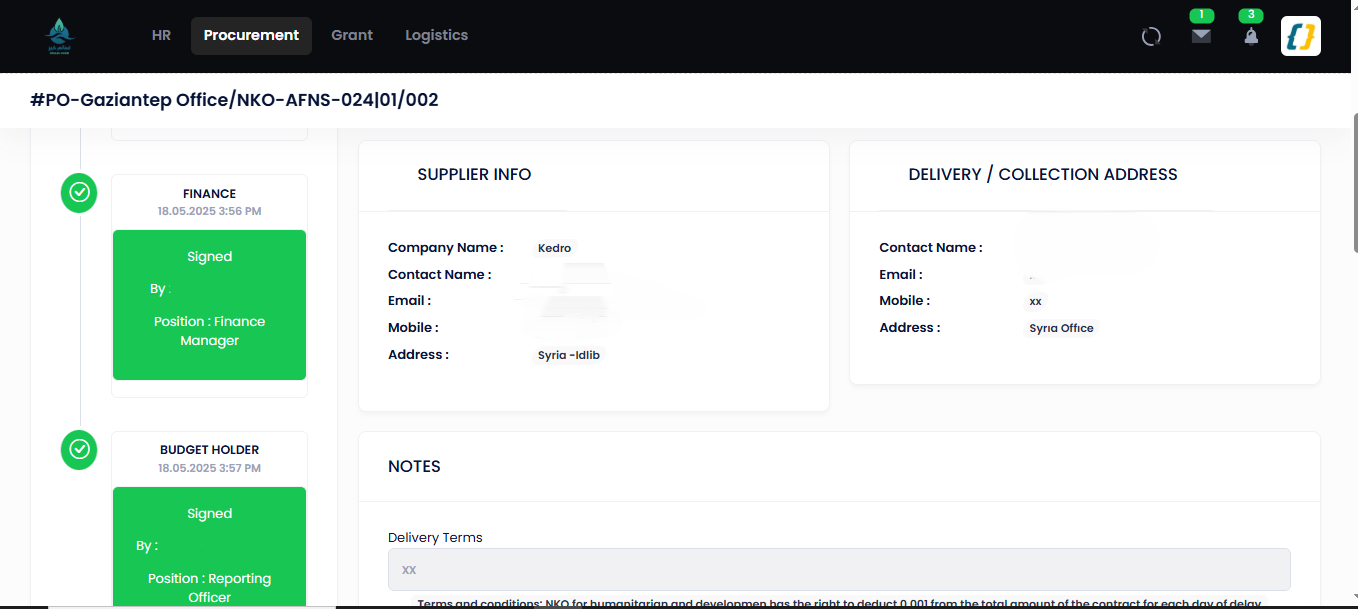
A completed document's signature timeline — the same shape on every document. Here a Purchase Order, Requester → Finance → Budget Holder → CEO (signer names masked):
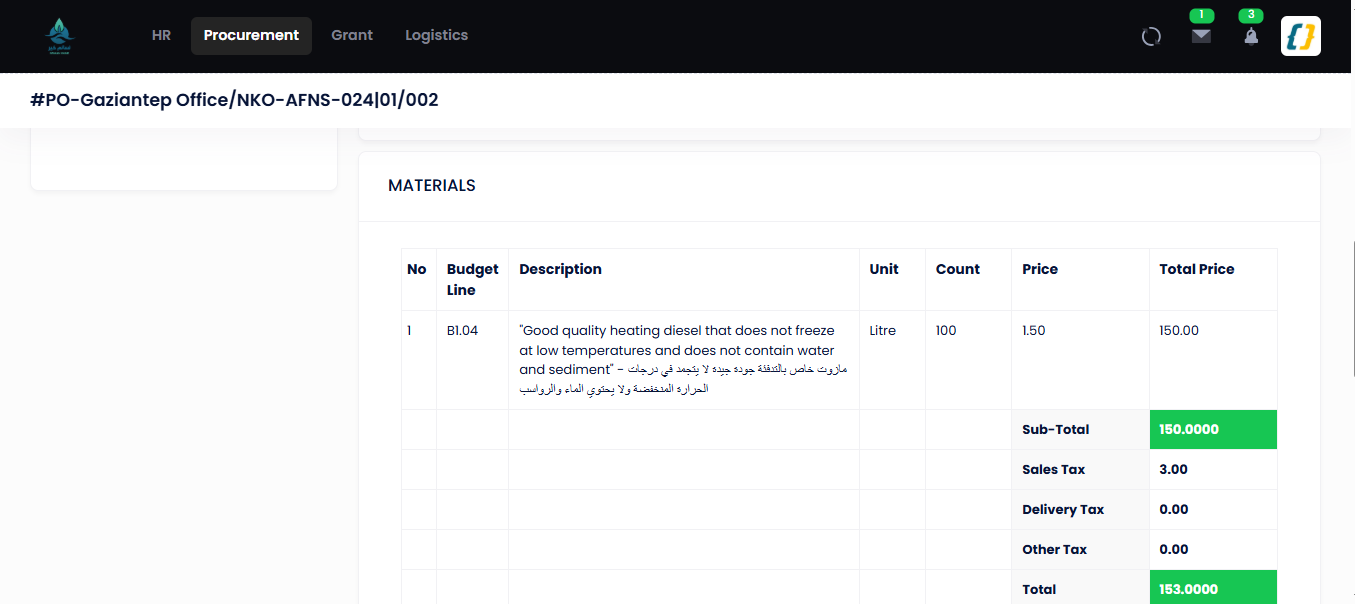
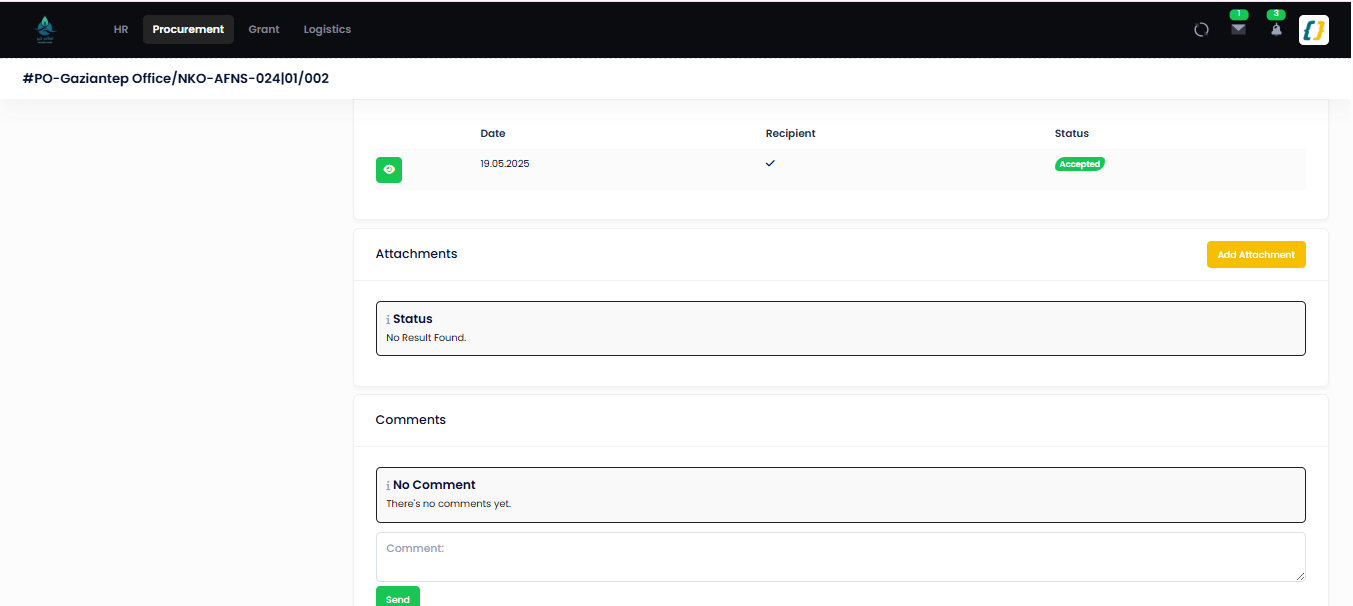
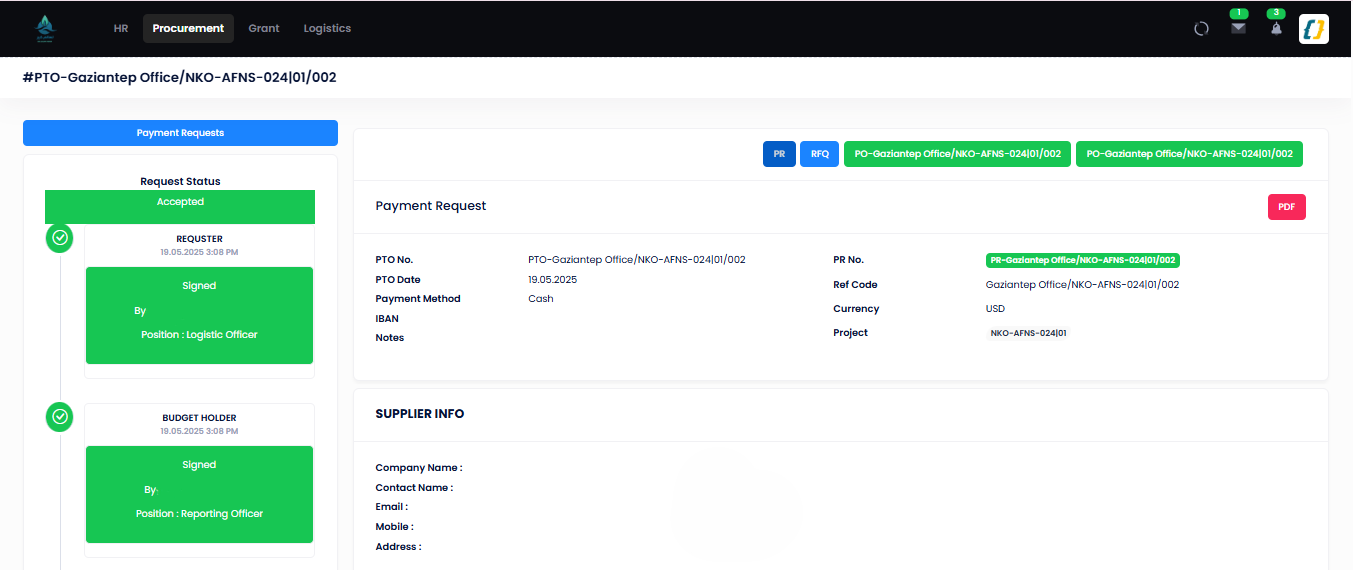
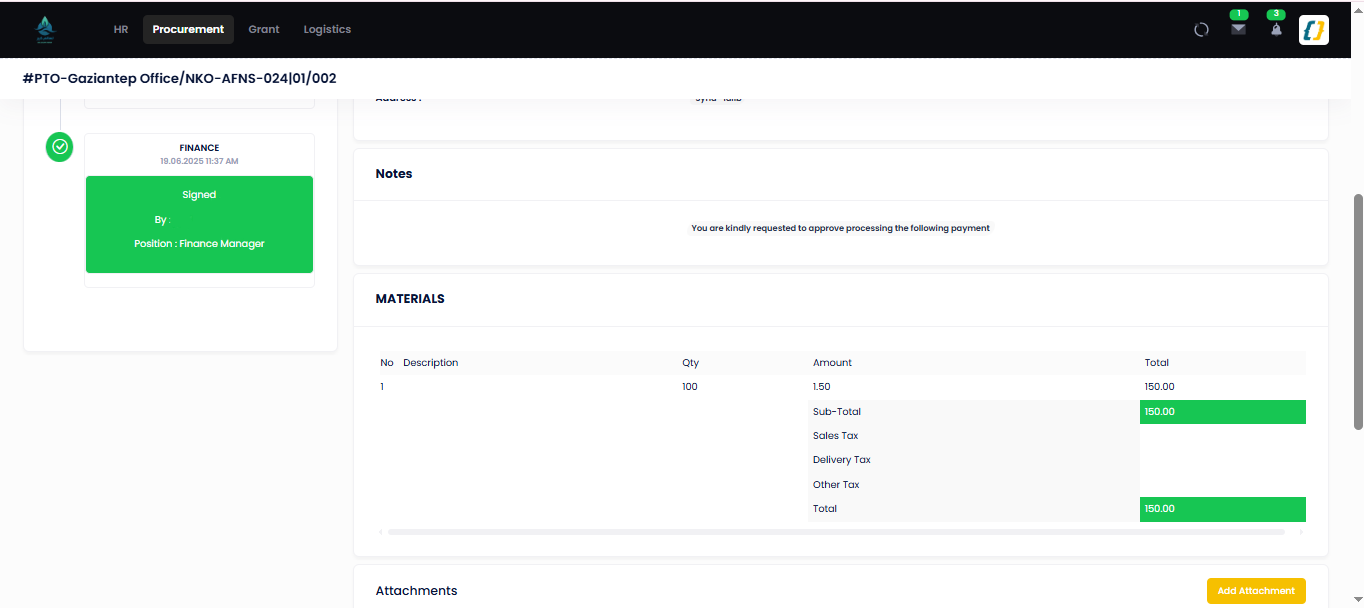
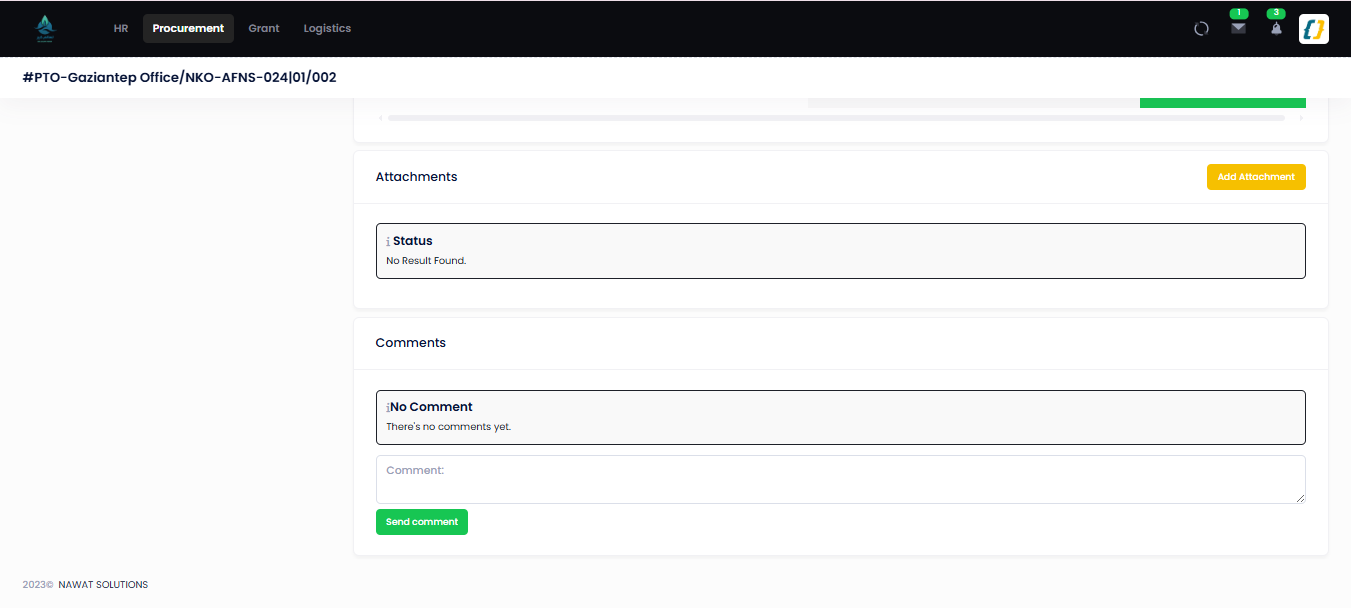
A Payment Order and its Requester → Budget Holder → Finance → CEO → Payer steps
(/PaymentOrder/Details/{guid}):
How each document advances
Every stage uses the same POST endpoint on its controller:
POST /<Doc>/ContextActions?id=<guid>&operationType=<*OpTypes>&userType=<*UserTypes>&idText=<signature text>
The controller matches (userType, operationType) and calls the matching BAL method
(SetSent, SetFinanceAccepted, SetBudgetHolderAccepted, SetCEOAccepted, SetRecipientAccepted,
SetPayerAccepted, …). The BAL updates StatusId, records the signature/date, writes a
Notification, and points the document at the next role. *Refuse sends it back (usually to
Draft / the requester); Cancel → Cancelled; Reset (requester) → Draft.
Purchase Request
| From status | Actor / op | To status |
|---|---|---|
Draft (1) |
Requester · Send |
Waiting — next user is Project. |
Waiting |
Finance · Finance |
Waiting when the USD value is > 1 000, otherwise Waiting |
Waiting |
SOD 1 · SOD1 |
Waiting when > 5 000, otherwise Waiting |
Waiting |
SOD 2 · SOD2 |
Waiting when > 10 000, otherwise Waiting |
Waiting |
SOD 3 · SOD3 |
Waiting when > 100 000, otherwise Waiting |
Waiting |
SOD 4 · SOD4 |
Waiting |
Waiting |
Procurement · Procurement |
Accepted (7) + Proc set |
| any waiting | any approver · *Refuse |
Refused (8) |
| any | Requester · Cancel |
Cancelled (9) |
The SOD tiers are the PR approval chain, not an addition to it: after Finance a PR either enters
WaitingForSOD1 or goes straight to Supply Chain.
Three PR statuses are unreachable
WaitingForTechnicalControl (2), WaitingForBudgetHolder (3) and WaitingForCEO (5) are defined
in PRStatus, but no code path assigns any of them to a Purchase Request. The technical-control
methods (SetCommitteeAccepted / SetCommitteeRefused) are commented out in BPurchaseRequest.
SetBudgetHolderAccepted / SetBudgetHolderRefused exist, the ContextActions branch calls them
and NextUserHelper routes the status to Project.ProgramManager — but because the status is never
set, the guard can never pass and the action returns the generic "You Can't Sign the request".
So the Budget Holder does not approve a Purchase Request at all: the control is live on the
Purchase Order, Payment Order and Job/SRF flows, but not here (R6-11).
Request for Quotation
Created only from a PR in Accepted with a procurement officer assigned. Sub-steps: add providers &
quotations (Providers), record technical/financial scores (ProvidersAnalyse,
TechnicalAssesment), run the comparative bid analysis (Compare — "CBA"), and justify the chosen
provider (RFQProviderJustification, ProviderJustificationStatus). The evaluation chain
(RFQOpTypes / RFQUserTypes): Committee 1 → Committee 2 → Committee 3 → Supply Chain Officer →
Supply Chain → Budget Holder(s) 1–5, with Cancel / Reset / ComReset / ComCancel.
Provider outcome is ProviderStatus (Draft → Passed → FullWon / PartiallyWon or Rejected).
Purchase Order
| From status | Actor / op | To status |
|---|---|---|
Draft (0) |
Requester · Send |
Waiting |
Waiting |
Finance · Finance |
Waiting |
Waiting |
Budget Holder · Budget |
Waiting (labelled "Waiting For GM") |
Waiting |
CEO · CEOAccept |
Accepted (4) |
| any waiting | approver · *Refuse |
Refused (5) |
| any | Requester · Cancel / Reset |
Cancelled (6) / Draft |
A Justification sub-document (PurchaseOrder/Justification*) carries its own approval via
JustificationContextActions.
Goods Received Note
| From status | Actor / op | To status |
|---|---|---|
Draft (0) |
Requester · Send |
Waiting |
Waiting |
Recipient · Recipiente |
Accepted (2) |
Waiting |
Recipient · Recipiente |
Rejected (3) |
| any | Requester · Reset |
Draft |
Accepted goods can be pushed to the warehouse via GRN/TransfareToWarehouse.
Payment Order
| From status | Actor / op | To status |
|---|---|---|
Draft (0) |
Requester · Send |
Waiting |
Waiting |
Budget Holder · Budget |
Waiting |
Waiting |
Finance · Finance |
Waiting |
Waiting |
CEO · CEOAccpet |
Accepted (4) |
Accepted |
Payer · Pay |
Paid (7) |
| any waiting | approver · *Reject |
Rejected (5) |
| any | Requester · Cancel |
Cancelled (6) |
PaymentOrder/CreateManual raises a standalone payment order not tied to a PO.
Edge cases
| Situation | Behaviour |
|---|---|
| Signer has no e-signature | Context refuses immediately; the document does not move. (Not on PO justification — R3-9.) |
| Budget Holder is also the requester | PR Send returns -2 — "The Budget Holder can't request a PR." |
| Any approver refuses | The document goes to Refused. The requester can Reset it to Draft, edit and re-send. |
| RFQ started before a procurement officer is assigned | RFQ/ redirects back to the RFQ index — no RFQ is created. |
| PR cancelled after RFQ started | RFQ / PO already created continue on their own status; the tracker shows In. |
| Comment added at any stage | Add writes a Comment + notification without changing status. |
Related
- Permissions — how Budget Holder / Finance / CEO / Supply Chain are resolved.
- Payroll — the other flow that ends in a Finance transfer.
- Procurement module · Procurement database.
- API — Procurement — the controller actions in full.