User Flow — Payroll
How a monthly payroll run is prepared, approved and paid: gather the month's inputs (timesheets,
attendance, overtime, advances, leave, fixed salary components), generate the Payroll for a
branch/month, route it Requester → Allocator → Finance Manager → Country Director, then export the
bank payment file. Driven by PayrollController, with TimesheetController feeding the time data.
Source: NKO.Main/NKO.Main/Controllers/PayrollController.cs,
NKO.Main/NKO.Main/Controllers/TimesheetController.cs,
NKO.Main/NKO.Main/BAL/{BPayroll,BTimesheet,BOvertime,BAdvance}.cs,
NKO.Lib/NKO.Shared/Helpers/CommonConstants.cs (PayrollUserTypes, PayrollOpTypes),
NKO.Lib/NKO.Shared/ViewModels/Payroll/PayrollStatus.cs.
Actors
| Role | PayrollUserTypes |
Does |
|---|---|---|
| Requester (Payroll officer) | Requester |
Generates the payroll and sends it. |
| Allocator | Allocator |
Splits shared-staff cost across projects/donors, then signs. Resolved by Bsettings. (Common). |
| Finance Manager | Finance |
Sets the exchange rate and signs. Resolved by BUser.. |
| Country Director | Country |
Final sign-off. Resolved by BUser.. |
None of these sign-offs checks for an approved e-signature — unlike procurement, payroll approval
does not call BSign.HasSign (R3-9).
Preconditions
- Employees have active contracts and salary records (
AppUserSalary,AppUserAllowance,AppUserDeduction,AppUserCharge) — see HR Onboarding. - The month's timesheets are approved and project ratios entered
(
Timesheet/ProjectsRatio), and the month's attendance is complete. (There is no formal step that closes a month's attendance — nothing prevents later changes.) - Overtime (
AppUserOvertime) and advances/loans (AppUserAdvance) for the month are in their final state so they land as allowances / deductions. - An exchange rate for the pay currency exists (
ExchangeRates).
Flow
flowchart TD
    subgraph PREP["Monthly inputs"]
        T1["Timesheets approved and project ratios"] --> GEN
        T2["Attendance closed - delays and absences"] --> GEN
        T3["Overtime finalised as allowances"] --> GEN
        T4["Advances and loans as deductions"] --> GEN
        T5["Unpaid leave salary effect"] --> GEN
        T6["Fixed salary, allowances, deductions, charges"] --> GEN
    end
    GEN["Payroll/Create - branch and month"] --> D["Payroll/Details - per-employee lines"]
    D --> S["Requester sends"]
    S --> AL["Allocator allocates shared staff then signs"]
    AL --> FM["Finance Manager sets exchange rate and signs"]
    FM --> CD["Country Director signs"]
    CD --> ACC{"PayrollStatus Accepted"}
    ACC --> TF["TransferFinanceData - bank info upload"]
    ACC --> TD["TransferData - partner contribution split"]
    ACC --> EXP["Export and ExportPayroll - bank payment file"]
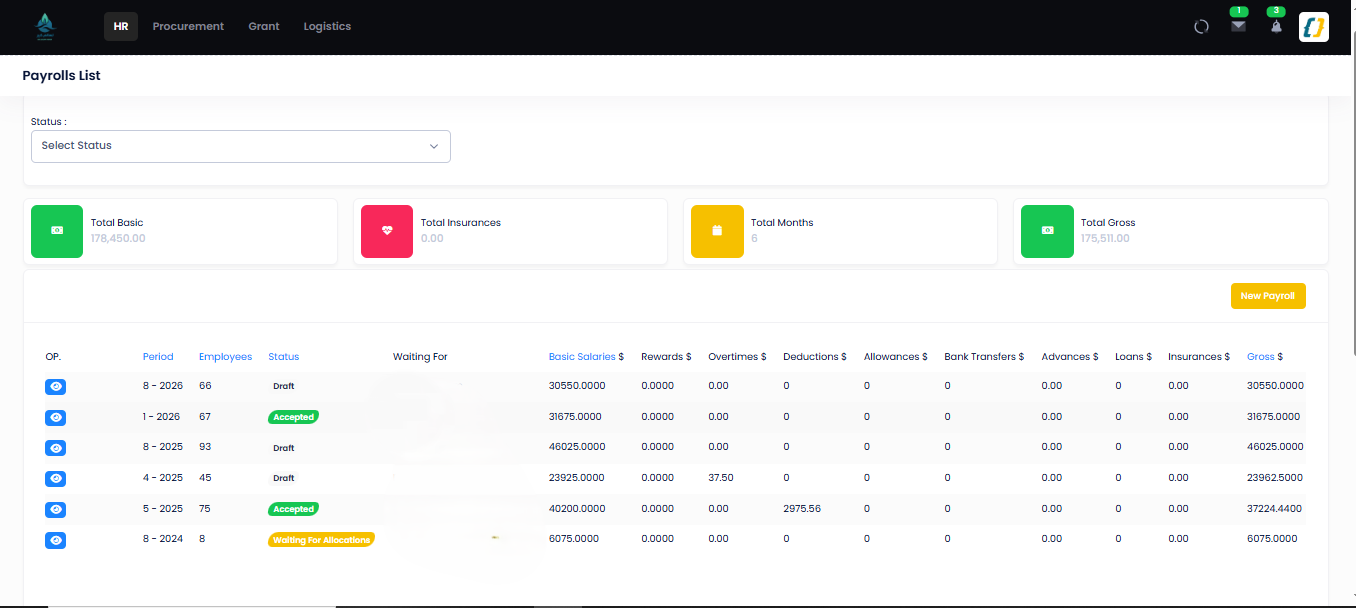
Payroll runs by month, with Status and "Waiting For" columns (/Payroll; names and amounts
masked):
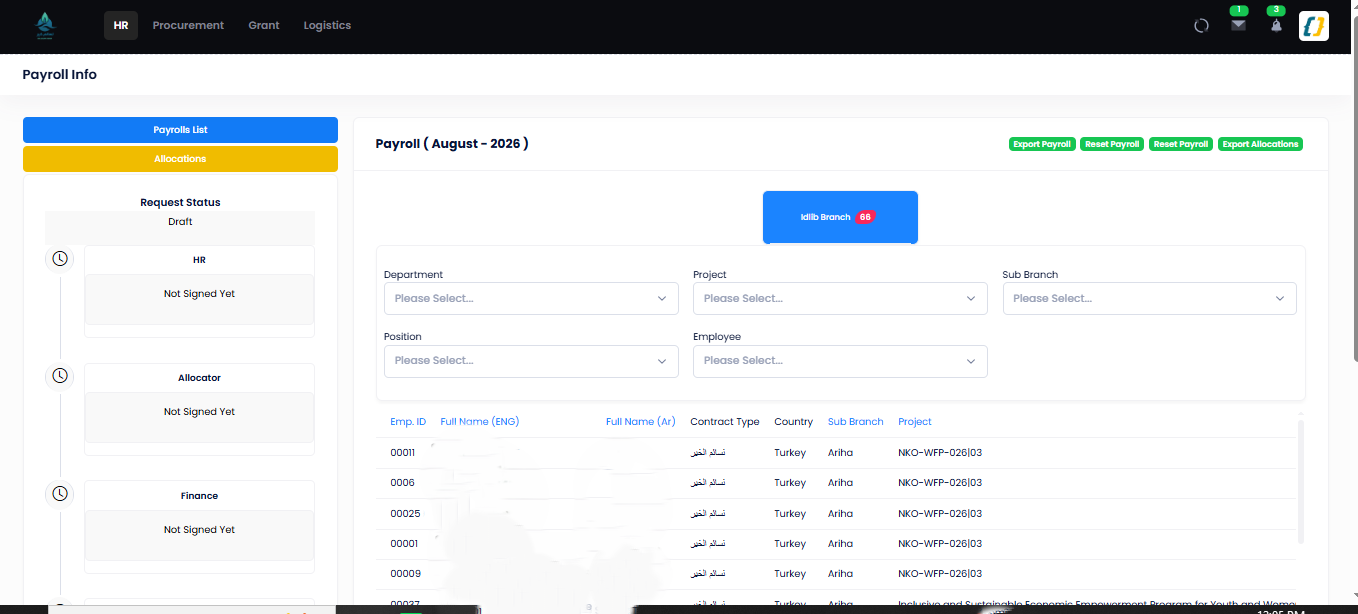
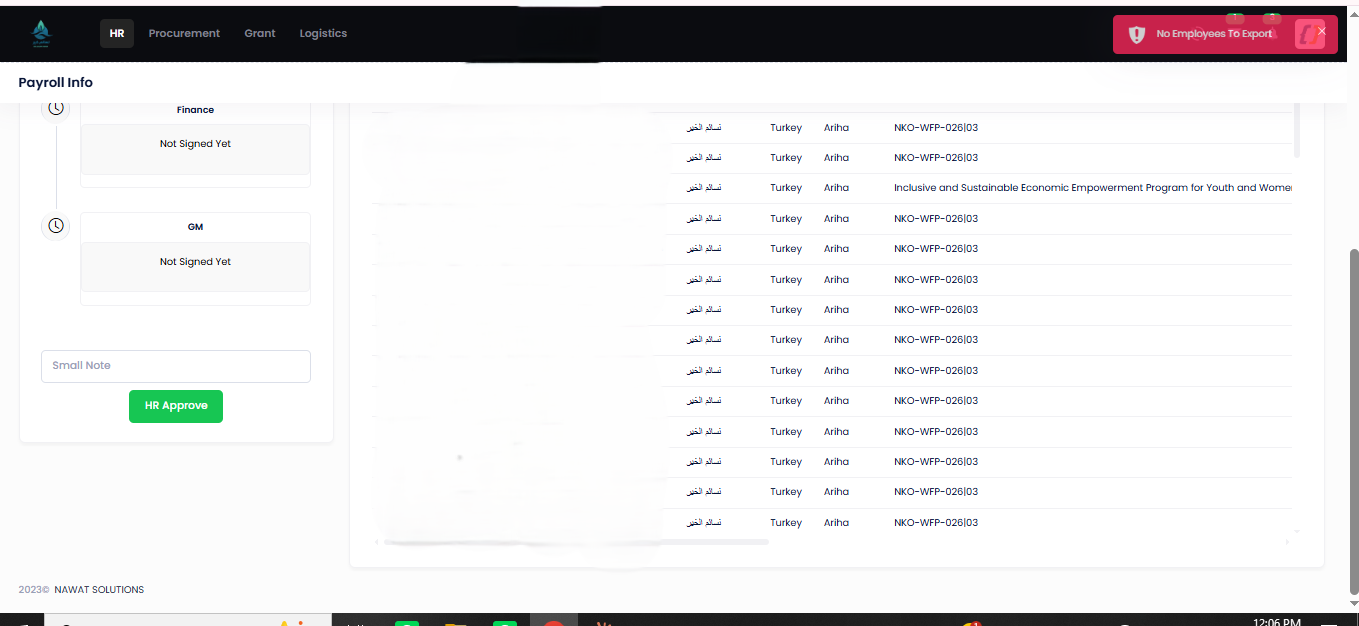
A run's approval timeline — HR → Allocator → Finance → Country Director (/Payroll/Details/{id};
a Draft run, so nothing is signed yet and no salary rows are shown):
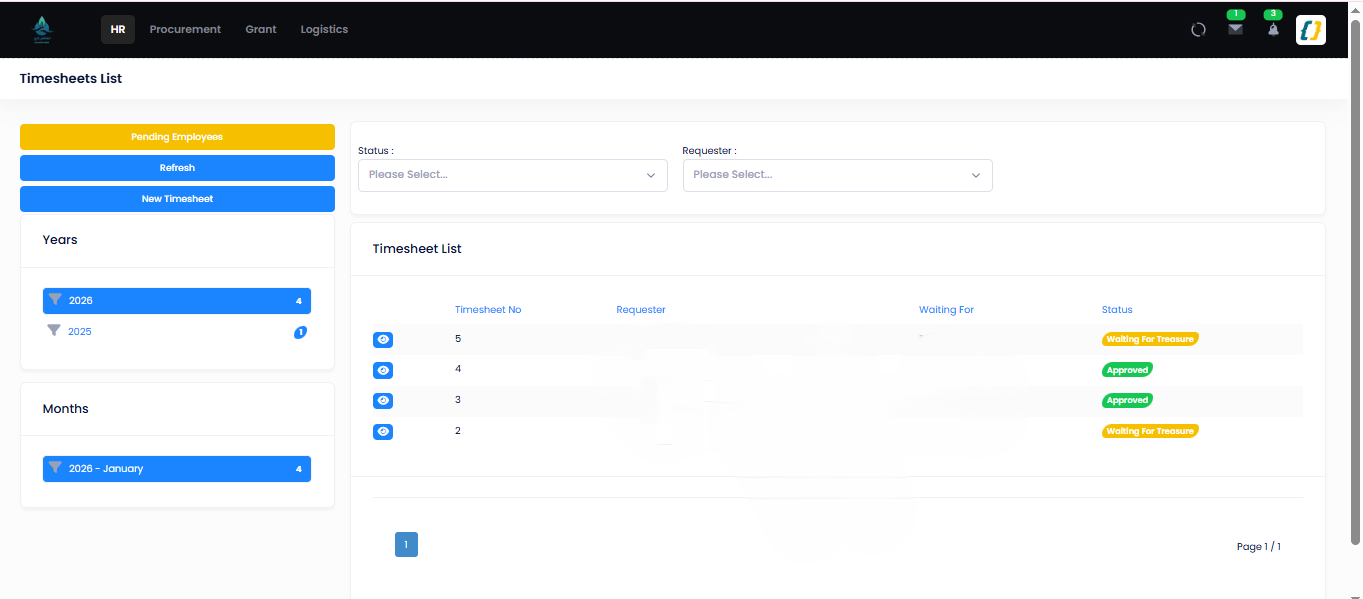
The timesheets that feed a run, each with its own workflow status (/Timesheet; requester /
"waiting for" names masked):
Step-by-step
| # | Actor | Screen / route | Permission key | Effect |
|---|---|---|---|---|
| 1 | Payroll officer | GET/ |
Payroll |
Creates a Payroll for a branch + month/year; Status. Payroll/ clears it back to Draft. |
| 2 | Payroll officer | GET / |
Payroll |
Per-employee gross/net lines from salary, timesheet days, overtime, deductions, advances, charges. Navigation / Payroll page through employees. |
| 3 | Payroll officer | POST / · Requester / Send |
Payroll |
BPayroll. → Waiting; notifies the allocator. |
| 4 | Allocator | POST / · Allocator / Allocator |
Payroll |
Set — fails unless every shared employee is allocated across projects/donors → Waiting. Allocator → back to the requester. Payroll/ uploads the Partners split. |
| 5 | Finance Manager | POST / · Finance / Finance + Exchange |
Payroll |
Set — requires Exchange → Waiting. Payroll/ uploads bank / finance info. Finance → back. |
| 6 | Country Director | POST / · Country / Country |
Payroll |
Set → Accepted (4). Country → back. |
| 7 | Payroll officer / Finance | GET /, /, / |
Payroll (the two exports), Payroll (Export) |
Bank payment file and allocation sheets (EPPlus / Rotativa). Timesheet/ produces the time-based portion. |
Status values (PayrollStatus)
| Id | Name | Meaning |
|---|---|---|
| 0 | Draft |
Generated, not yet sent. |
| 1 | Waiting |
With the Allocator. |
| 2 | Waiting |
With the Finance Manager (exchange rate pending). |
| 3 | Waiting |
With the Country Director. |
| 4 | Accepted |
Approved — ready to pay / export. |
| 5 | Refused |
Defined but never used. No code assigns it: every refusal returns the run to Draft (0), so a refused run looks exactly like one that was never sent. |
Related notifications: PAYROLL_SENT (47), PAYROLL_ALLOCATIONS_UPLOADED (48),
PAYROLL_FINANCE_INFO_UPLOADED (49), PAYROLL_SIGNED (50), PAYROLL_REFUSED (51).
Related inputs
| Input | Source flow | Lands in payroll as |
|---|---|---|
| Timesheet days + project ratio | Timesheet/, Timesheet/ |
Worked-days basis and the project cost split |
| Attendance delays / absences | Attendances/ |
Deduction / unpaid days |
| Overtime | Overtime/ (App, Overtime) |
Allowance (Overtime or Cash) |
| Advance / loan repayment | Advance/ (App, Advance) |
Deduction instalment (App) |
| Unpaid / exceptional leave | Leave Management | Unpaid-day reduction |
| Fixed components | HR (App, App, App, App, App) |
Base gross / recurring lines |
Edge cases
| Situation | Behaviour |
|---|---|
| Shared employee not allocated | Allocator fails: "make sure to allocate all shared employees." |
| Exchange rate missing or ≤ 0 | Finance fails: "the exchange rate must be set correctly." |
| Any approver refuses | The run goes straight back to Draft — not Refused — and to the requester, who fixes the inputs and re-sends. The refusal note is kept on the run. |
| Timesheet still open for the month | Employee's days are incomplete; correct in Timesheet before generating. |
| Re-run needed | Payroll/ returns the run to Draft for regeneration. |
Related
- Leave Management — unpaid leave feeding the salary calculation.
- Procurement Cycle — the other Finance-terminated approval chain.
- Permissions — how Allocator / Finance Manager / Country Director are resolved.
- Payroll module · Payroll database · API — Payroll.